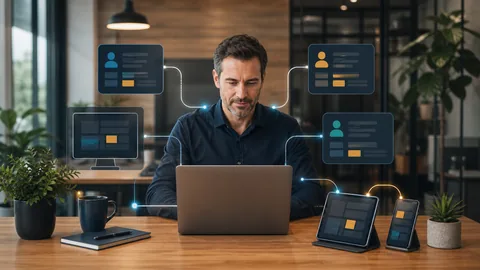
Secure remote access for small businesses starts with a simple rule: each person should use an approved device, a protected account, and a controlled method for reaching company systems. Employees should not need improvised tools, shared passwords, or unrestricted access to work outside the office.
The goal is not to make remote work difficult. It is to give employees reliable access while keeping business accounts, customer information, and internal systems under control.
What secure remote access should include
A practical setup connects several safeguards. No single product covers every risk.
1. Individual user accounts
Every employee should have an account assigned specifically to them. Shared logins make it difficult to control permissions, investigate unusual activity, or remove access when someone leaves.
Administrative access should also be separate from normal daily accounts. An employee who only needs email and business applications should not receive broad control over computers or cloud services.
2. Multifactor authentication
A stolen password should not be enough to enter company systems. Multifactor authentication adds another verification step when someone signs in.
This protection should cover email, Microsoft 365, remote access tools, accounting platforms, cloud storage, and other systems containing business information. Enrollment methods and recovery options should be documented so access can be restored without bypassing security controls.
3. Approved and maintained devices
Remote access is only as dependable as the device being used. Company computers should receive operating system updates, application patches, security monitoring, and appropriate endpoint protection.
Personal devices create additional questions. Who maintains them? Can company data be downloaded locally? What happens when the employee leaves? If personal devices are allowed, the business should define exactly what they can access and how company information will be separated or removed.
4. Controlled access to internal resources
Employees should receive access based on their job responsibilities. Someone who needs one business application may not need access to every server, shared folder, or administrative tool.
A secure connection may use a business VPN, a remote desktop gateway, or an identity based cloud service. The right choice depends on where applications and files are hosted. Directly exposing an office computer or server to the internet without proper controls creates unnecessary risk.
5. Logging and account oversight
The business should be able to review sign ins, failed access attempts, new device registrations, and significant account changes. Alerts can help identify unexpected activity, such as access from an unfamiliar location or repeated authentication failures.
Logs are most useful when someone is responsible for reviewing them and responding. Collecting information without a response process leaves an important gap.
Questions owners should ask about remote access
You do not need to become a security engineer, but you should be able to get clear answers to these questions:
1. Which employees can connect remotely? 2. Which systems can each person reach? 3. Is multifactor authentication required everywhere it is available? 4. Are remote computers monitored and patched? 5. Can access be removed quickly when an employee or vendor leaves? 6. Are sign ins and account changes logged? 7. Is there a documented recovery process for lost devices and locked accounts? 8. Does anyone still use shared credentials?
Unclear answers usually indicate a documentation or ownership problem. An [IT onboarding assessment](https://technutsitservices.com/onboarding/) can identify remote access methods, user permissions, device status, and undocumented dependencies before changes are recommended.
Common remote access mistakes
Leaving old accounts active
Former employees, temporary workers, and outside vendors may retain access longer than intended. Account removal should be part of a consistent offboarding process that covers email, cloud applications, remote tools, and shared credentials.
Giving everyone the same access
Broad permissions may feel convenient, but they increase the effect of an account compromise or employee mistake. Access should match each person’s responsibilities and be reviewed when roles change.
Depending on passwords alone
Even a strong password can be exposed through phishing, reuse, or an infected device. Multifactor authentication provides another barrier, especially for email and remote administration tools.
Allowing unmanaged home computers
A home computer may be shared with family members, lack current updates, or store company files outside approved systems. Businesses should decide whether personal devices are permitted and document the requirements before access is granted.
Using remote tools without clear ownership
Small offices sometimes accumulate several remote access products installed by different vendors or former technicians. Unknown tools and unattended access should be reviewed, documented, and removed when they are no longer required.
How managed IT supports safer remote work
Remote access is not a one time installation. Accounts change, employees receive new devices, applications move to the cloud, and permissions gradually become outdated.
Structured [managed IT services](https://technutsitservices.com/managed-it/) can bring remote access into the same operating process as device monitoring, patching, Microsoft 365 administration, backups, and user support. This creates clear ownership for routine maintenance and access changes.
Major network redesigns, server migrations, or replacement of an outdated remote access platform may require separately scoped [IT project work](https://technutsitservices.com/projects/). The first step should be understanding the existing environment, the systems employees need, and the business impact of changing how they connect.
A practical next step
Start by listing every remote access method currently used by employees, owners, vendors, and software providers. Record who has access, what they can reach, which device they use, and whether multifactor authentication is enforced.
If that information is difficult to assemble, the environment probably needs a structured review. Tech Nuts IT Services can assess the current setup, identify access gaps, and discuss practical improvements that fit a small professional office. [Request a consult](https://technutsitservices.com/contact/) to start the conversation.