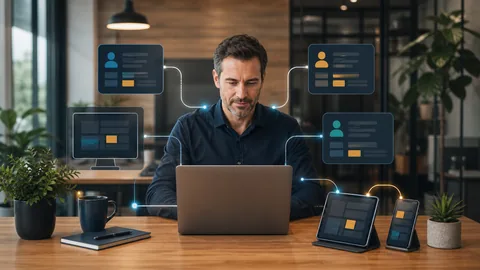
Secure remote access for small business starts with a simple rule: each person should reach only the applications and information required for their job, from a device the business recognizes, using an identity that can be verified.
That means avoiding shared logins, unprotected remote desktop connections, and permanent access for former employees or outside vendors. A practical setup should make daily work convenient while giving the business control over who can connect, what they can reach, and how quickly access can be removed.
What Secure Remote Access Should Accomplish
Remote access is not just about helping someone connect from home. It should protect business systems while keeping employees productive.
A well managed approach should answer five questions:
1. Who is requesting access? 2. Is the person using an approved device? 3. Which systems does that person actually need? 4. Can suspicious or failed access attempts be reviewed? 5. Can access be removed promptly when a role changes?
If the business cannot answer those questions, remote access may be convenient without being properly controlled.
The Main Weak Points in Small Office Remote Access
Shared accounts
A shared username makes accountability difficult. When several people use the same credentials, the business cannot reliably determine who connected or remove one person without affecting everyone else.
Each employee and vendor should have an individual account. That account should reflect the person's role and be disabled when the relationship ends.
Exposed remote desktop services
Allowing direct remote desktop connections from the public internet creates unnecessary exposure. Remote desktop access should sit behind a properly configured security layer, such as a managed remote access platform or a business VPN with strong authentication.
The right choice depends on the applications involved, the office network, and whether employees need an entire desktop or only specific cloud services.
Missing multi factor authentication
A password alone provides limited protection if it is reused, guessed, or captured. Multi factor authentication adds another verification step before access is granted.
This control should cover remote access platforms, Microsoft 365 accounts, administrative tools, and other systems that contain sensitive business information.
Personal devices with no business controls
An employee's home computer may be shared with family members, missing updates, or running software the business cannot review. That does not automatically make every personal device unusable, but it does mean the risk must be evaluated deliberately.
Where possible, remote employees should use business managed computers with supported software, current security updates, encryption, and endpoint protection. If personal devices must be allowed, access should be limited to suitable applications and data.
Vendor access that never expires
Software providers, consultants, and contractors sometimes need temporary access. The problem begins when temporary access becomes permanent by default.
Vendor accounts should be separate from employee accounts, limited to the necessary systems, and reviewed after the work is complete. Major access changes or platform replacements may need separately scoped [IT project work](https://technutsitservices.com/projects/) rather than an informal change made during a support call.
A Practical Secure Remote Access Checklist
Small offices do not need an enterprise security program to establish sensible controls. Start with the following review.
1. List every method employees and vendors use to connect remotely. 2. Identify the business systems available through each connection method. 3. Replace shared accounts with individual identities. 4. Require multi factor authentication wherever supported. 5. Confirm that remote users receive only the permissions their roles require. 6. Review whether personal devices can store or download business data. 7. Check that business devices receive operating system and application updates. 8. Document who approves new access and who removes it. 9. Create a process for disabling access when someone leaves or changes roles. 10. Review connection records and failed login activity on a regular schedule.
An [IT onboarding assessment](https://technutsitservices.com/onboarding/) can help identify undocumented access methods, stale accounts, unsupported computers, and gaps between written procedures and the actual environment.
Match the Access Method to the Work
Not every remote worker needs the same connection.
Someone who uses Microsoft 365 and a browser based line of business application may not need access to the office network at all. An employee who works with a server based accounting or document system may require a secured connection to an office workstation or hosted desktop. A software vendor may need temporary access to one server during a scheduled maintenance window.
Using one broad access method for everyone can grant more access than necessary. The better approach is to match the connection method, device requirements, and permissions to each role.
This is where structured [managed IT services](https://technutsitservices.com/managed-it/) can provide ongoing value. Remote access depends on several controls working together, including account management, device maintenance, software updates, security monitoring, and employee offboarding. Clear ownership helps prevent those controls from becoming disconnected tasks.
Review Access Before an Incident Forces the Issue
Remote access often grows gradually. One employee starts working from home, a vendor receives a login, and another application is added later. Over time, the business may lose track of which accounts exist and what each connection can reach.
A periodic review can uncover unused accounts, excessive permissions, unmanaged computers, and older connection methods that should be retired. It also gives the business a documented baseline for approving future access requests.
Tech Nuts IT Services helps professional offices evaluate remote access with business operations in mind. The goal is to support productive work while maintaining clear control over accounts, devices, and permissions.
If you are unsure who can connect to your systems or whether current protections are adequate, [request a consult](https://technutsitservices.com/contact/) to discuss a practical remote access assessment.