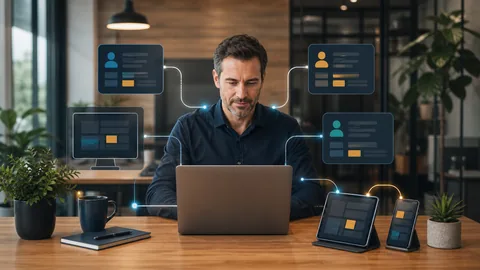
For an office comparing remote managed it support Murrieta options, the central question is not simply whether someone can connect from home. The real question is whether every remote connection is authorized, protected, visible, and removed when it is no longer needed.
Secure remote access combines identity controls, managed devices, limited permissions, documented procedures, and responsive technical support. Small businesses do not need an enterprise security department to improve these areas. They do need clear ownership and consistent administration.
What Secure Remote Access Should Accomplish
A practical remote access setup should let approved employees reach the systems required for their jobs while limiting unnecessary exposure. It should also give the business a reliable way to revoke access when an employee leaves, a device is lost, or a vendor no longer needs a connection.
The right method depends on the work involved. An employee accessing Microsoft 365 may need different controls than a bookkeeper connecting to an office accounting application. A software vendor performing occasional maintenance may require temporary access with tighter restrictions.
In each case, the business should be able to answer five questions:
1. Who is allowed to connect? 2. Which device can that person use? 3. Which applications or systems can the person reach? 4. How is the user identity verified? 5. Who reviews and removes access when circumstances change?
If these answers depend on memory, shared passwords, or an undocumented setup created years ago, the business has an operational gap.
How Remote Managed IT Support Strengthens Access
Good remote support is more than a technician taking control of a screen after an employee reports a problem. A managed approach establishes repeatable controls around the entire connection process.
Require Strong Identity Verification
Multifactor authentication should protect supported cloud accounts and remote access tools whenever the platform allows it. This adds a second verification step if a password is exposed. Authentication methods and account recovery options should be configured deliberately, not left entirely to individual employees.
Keep Business Devices Managed
Remote employees should use devices that receive operating system updates, security patches, endpoint protection, and configuration oversight. A personal computer shared with family members creates different risks than a business owned laptop with controlled user accounts.
Device management also improves response when equipment is lost or replaced. The support provider can identify the device, review its status, disable associated access, and guide the owner through the next steps.
Limit Access to What Each Person Needs
Remote access should not provide broad entry to every file, server, or administrative tool. Permissions should reflect the employee's role. Administrative accounts should be separated from routine user accounts, and vendor access should be limited by purpose and duration.
Use Approved Connection Methods
Employees should know which remote access tools are approved and how to use them. Unapproved screen sharing applications, saved passwords, and improvised file transfers can bypass the controls the business expects to have in place.
A capable provider documents the approved method and supports employees when connections fail. This reduces the temptation to create a quick workaround that remains in place indefinitely.
Warning Signs That Access Needs Review
Business owners do not need to inspect technical logs to recognize common warning signs. A review is reasonable when:
1. Former employees may still have active accounts. 2. Several people share the same login. 3. Staff use personal computers for sensitive business work without a defined policy. 4. Remote access depends on software that nobody currently manages. 5. Vendors have permanent access even though they connect only occasionally. 6. Employees approve unexpected authentication prompts. 7. Nobody can explain which devices are connected to business accounts.
These conditions do not prove that a breach has occurred. They show that access is harder to control and that responding to a lost device or compromised account may take longer.
Remote Access Must Fit Daily Operations
Security controls only help when employees can follow them during real work. A law office may need dependable access to case files. An accounting firm may have seasonal contractors. A medical or professional office may need a software vendor to maintain a specialized application.
The support process should account for these workflows before controls are changed. That includes identifying critical applications, confirming who needs access, testing connection methods, and documenting who handles approval requests.
This is where an experienced remote IT management partner adds practical value. The provider can connect security decisions to the way the office actually operates, then remain accountable for maintenance and support. Tech Nuts IT Services uses a remote first approach when it is faster, with onsite assistance when the situation requires physical work. Businesses can learn more about [IT support Murrieta](https://technutsitservices.com/locations/murrieta/) and the local service model.
Build a Repeatable Access Process
Secure access should be part of employee onboarding, role changes, vendor management, and departures. A useful process includes:
1. Written approval before access is granted. 2. A documented list of accounts, devices, and permissions. 3. Multifactor authentication enrollment. 4. Verification that the device meets business requirements. 5. Periodic review of users and privileges. 6. Immediate removal of access when employment or vendor work ends.
These steps work best when they are connected to broader [managed IT services](https://technutsitservices.com/managed-it/) such as device monitoring, patching, Microsoft 365 administration, backups, and network oversight. The goal is consistent ownership, not another checklist that nobody maintains.
Start With the Current Environment
Before replacing tools or changing employee access, document what is already in use. Identify remote access software, cloud accounts, business devices, administrative users, outside vendors, and any systems that employees reach from home.
An [IT onboarding assessment](https://technutsitservices.com/onboarding/) can uncover outdated accounts, unmanaged devices, unclear permissions, and unsupported connection methods. The findings can then be prioritized according to business risk and operational impact.
Secure remote access is not a single product. It is an ongoing practice that combines identity, devices, permissions, documentation, and accountable support. When those parts are managed together, employees can work remotely without leaving the owner guessing about who can reach the business systems.
Discuss Your Remote Access Setup
If you are unsure which users, devices, or vendors can connect to your systems, Tech Nuts IT Services can review the current setup and identify practical next steps. [Request a consult](https://technutsitservices.com/contact/) to discuss a remote access assessment for your office.